Shoot Cards
For wedding & portrait photographers
Never go blank on a shoot again.
Pose cards in your camera's playback, with the exact words to say to your couple. Plus your timeline, family groups and shot list. No phone, no paper, no Canva.
See how it works · one-minute demo →Make your first card freeMake your cards
Pick a typePick a pose from our wedding pack50 in the full pack
With a label, each card reads “Emma’s board · 3/12”. A whole moodboard works as one screenshot, but each pin reads better on a 3-inch screen as its own card.
Which camera do you shoot?
Put it on your SD card
The same instructions are included in the downloaded ZIP. See them step by step →
Why not just copy any picture? Your camera won't show it. See why
Turn the wheel, the next pose appears. Straight from the SD card.
Your cards
Your projects.
Every wedding you've made cards for, saved to your account. Open one to see its batches, add more cards, or download it again.
Not just poses
Plan the whole day, right in your camera.
Timeline, family groups by name, shot list, your settings and your contact card. Long lists split across cards automatically, so every card reads at a glance.
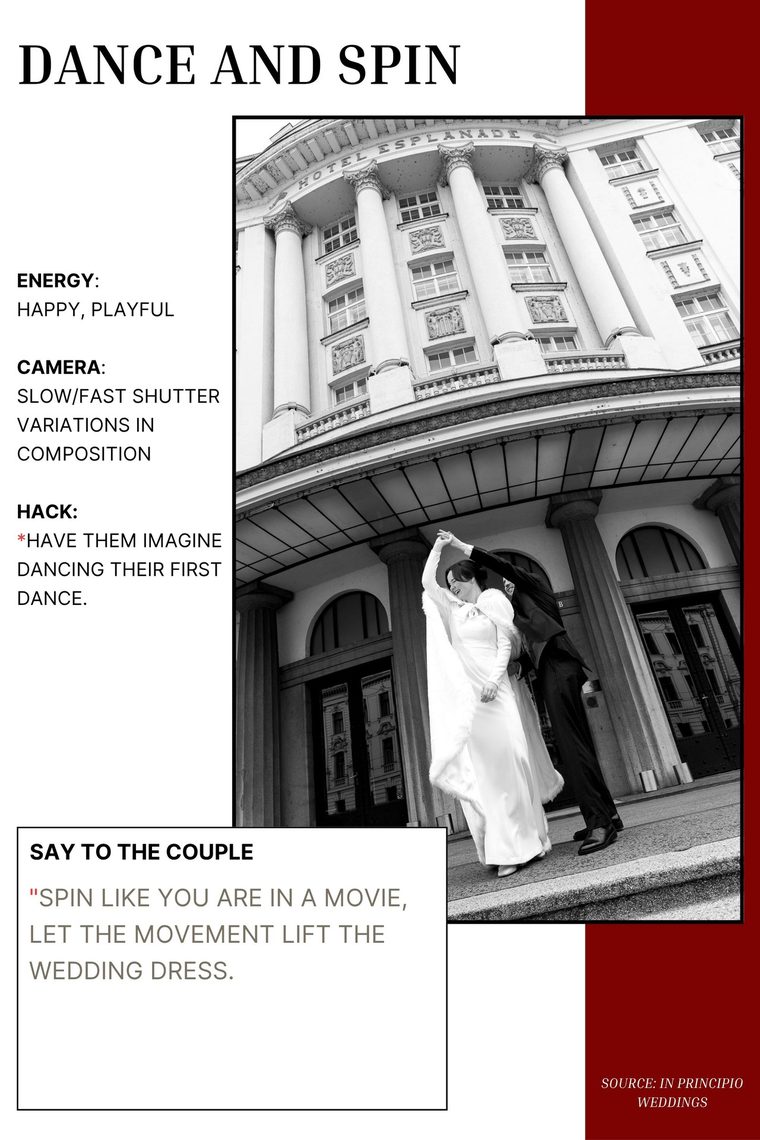
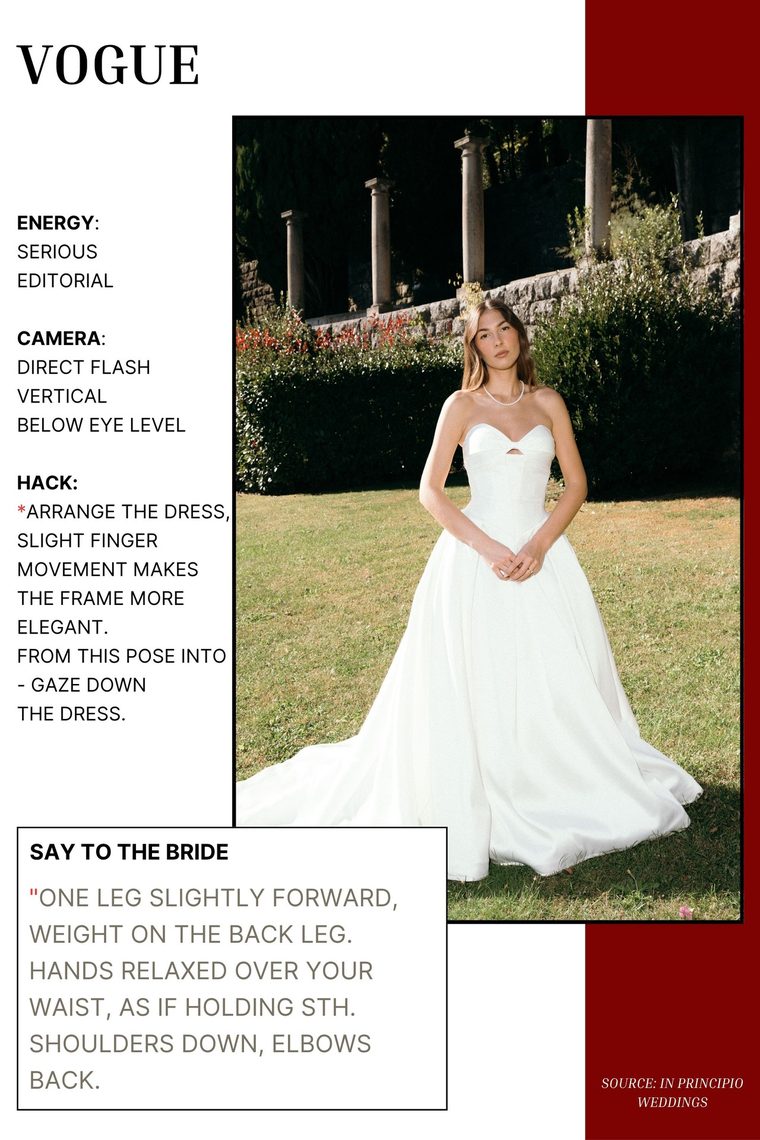
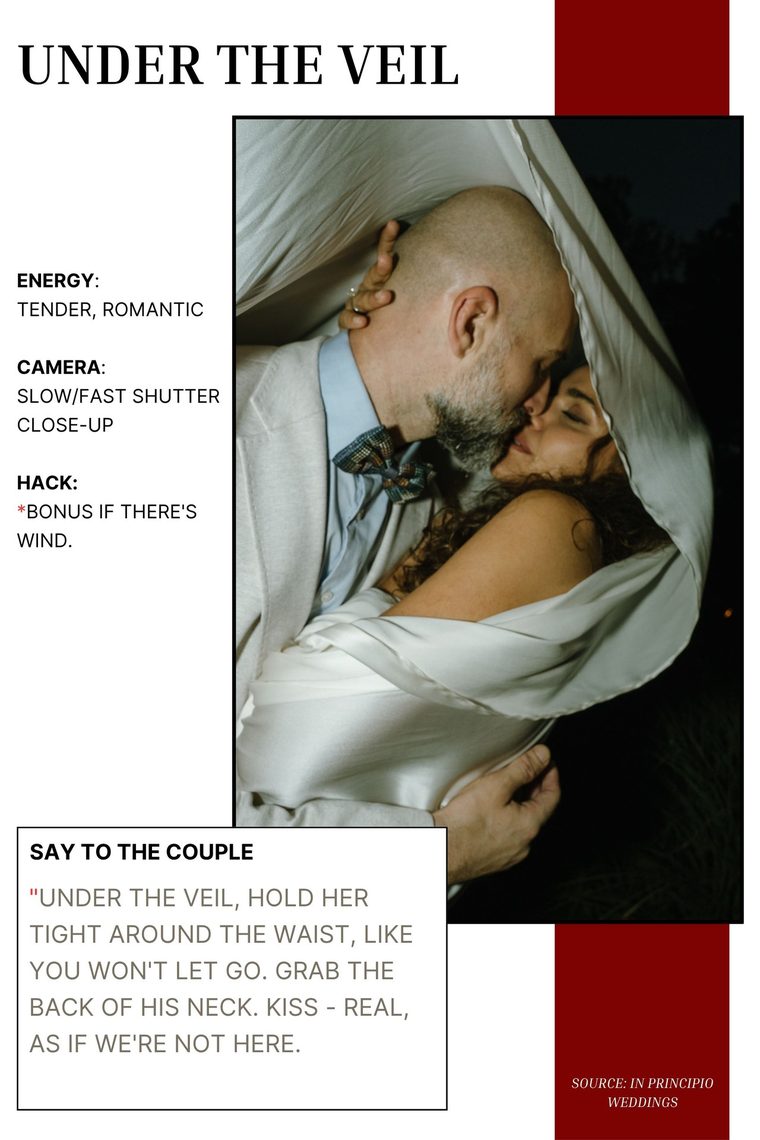
The wedding pose pack
50 poses we shot at real weddings.
Couples, bridal and group poses, ready for your camera. Each one is built to be read in two seconds on a 3‑inch screen.
- 1The reference photoSee the shot you're going for, instantly.
- 2What to say to the coupleThe exact words that get a real reaction, not a stiff smile.
- 3Camera settingsAngle, shutter and framing, so you nail it first time.
- 4The posing hack and the energyThe small trick that makes it work, and the mood to aim for.
A one-time purchase from our wedding studio's shop, In Principio. For Sony, Canon and Nikon.
Why in the camera
The plan is already in your hand.
| What matters | Phone | Printed list | Shoot Cards |
|---|---|---|---|
| There when you need it | ✕ in a pocket | ✕ in a pocket | ✓ already in your hand |
| Looks professional to guests | ✕ looks like scrolling | so-so | ✓ looks like reviewing |
| Readable in bright sun | ✕ glare | ✓ | ✓ through the viewfinder |
| A new plan for every wedding | ✓ | ✕ reprint | ✓ in two minutes |
✓ Ordinary JPEGs, so nothing can harm your camera or card. Tested on Sony A7 III/IV/V, Canon R6/R6 II/R6 III and Nikon Z6/Z8/Z9.
Pricing
Start free. Go Pro when it saves your day.
14-day money-back guarantee. If the cards don't show up on your camera, tell us and you get a full refund.
FAQ
Good to know.
Why won't a normal image show on my camera?
Cameras only display files saved in their own format: the right size, the right metadata and the right folder. We convert every card to match, so it appears in playback like a photo you shot.
Will it work on my camera?
It should work on virtually any recent Sony, Canon or Nikon body. We've tested it on the Sony A7 III/IV/V, Canon R6/R6 II/R6 III and Nikon Z6/Z8/Z9, and it works across most current Alpha, EOS R and Nikon Z cameras. Fujifilm and Panasonic support is coming soon. If something isn't working on your camera, let us know and we'll help.
Do I need Canva or design skills?
No. Pick a card type, fill in a few lines or choose one of our poses, and we make a camera-ready card for you. If you already design your own cards in Canva or Photoshop, upload those under “Any image”.
Can I put the bride’s Pinterest pictures on my camera?
Yes. When she sends her board or a few screenshots of what she wants, add them under “Any image”: copy a picture and paste it in, or drop the saved files, up to 30 at once. Give them a label like “Emma’s board” and every card says so, 1/12, 2/12… so you can tick off her wishes between shots. They’re a private reference for the day; nothing is shared. See it in the demo.
Is the first card really free?
Yes, and it needs no account. Free cards carry a light “preview” watermark, so you can try them on your camera first. Sign in with your email for 3 more free cards and saved projects. Pro removes the watermark and every limit.
Where do the cards show up on the day?
In playback, next to your photos. They're dated 1 January 2024, so in date view they sit in their own group, away from today's shoot.
Is it safe for my camera and SD card?
Yes. You only copy ordinary JPEG files to the card, the same kind your camera already makes. Nothing is installed and your existing photos are untouched.
What's the difference between Pro and the pose pack?
Pro is for the cards you make: unlimited timelines, family groups, shot lists, poses with your own photos, the bride’s Pinterest pins and your own designs, with no watermark. The pose pack is 50 ready-made wedding poses we shot ourselves, bought once in our studio's shop.
Anything special per camera?
No. Copy the cards into the folder your camera made and press play. Most Sony bodies show them straight away; if one doesn't, the included instructions have a one-minute fix (Recover Image Database). See it in the demo.
Can I cancel or get a refund?
Cancel Pro anytime under Billing once you're signed in. And if the cards don't show up on your camera within 14 days of buying, tell us and we refund you in full.
Who made this?
We're Kim & Ivan, wedding photographers at In Principio and the people behind NotaLucis, the CRM for photographers. Shoot Cards is what we actually run on our own cameras every weekend. We built it for our shoots first, then opened it up to other photographers.
Never go blank on a shoot again.
Make your first card free. It takes about a minute.